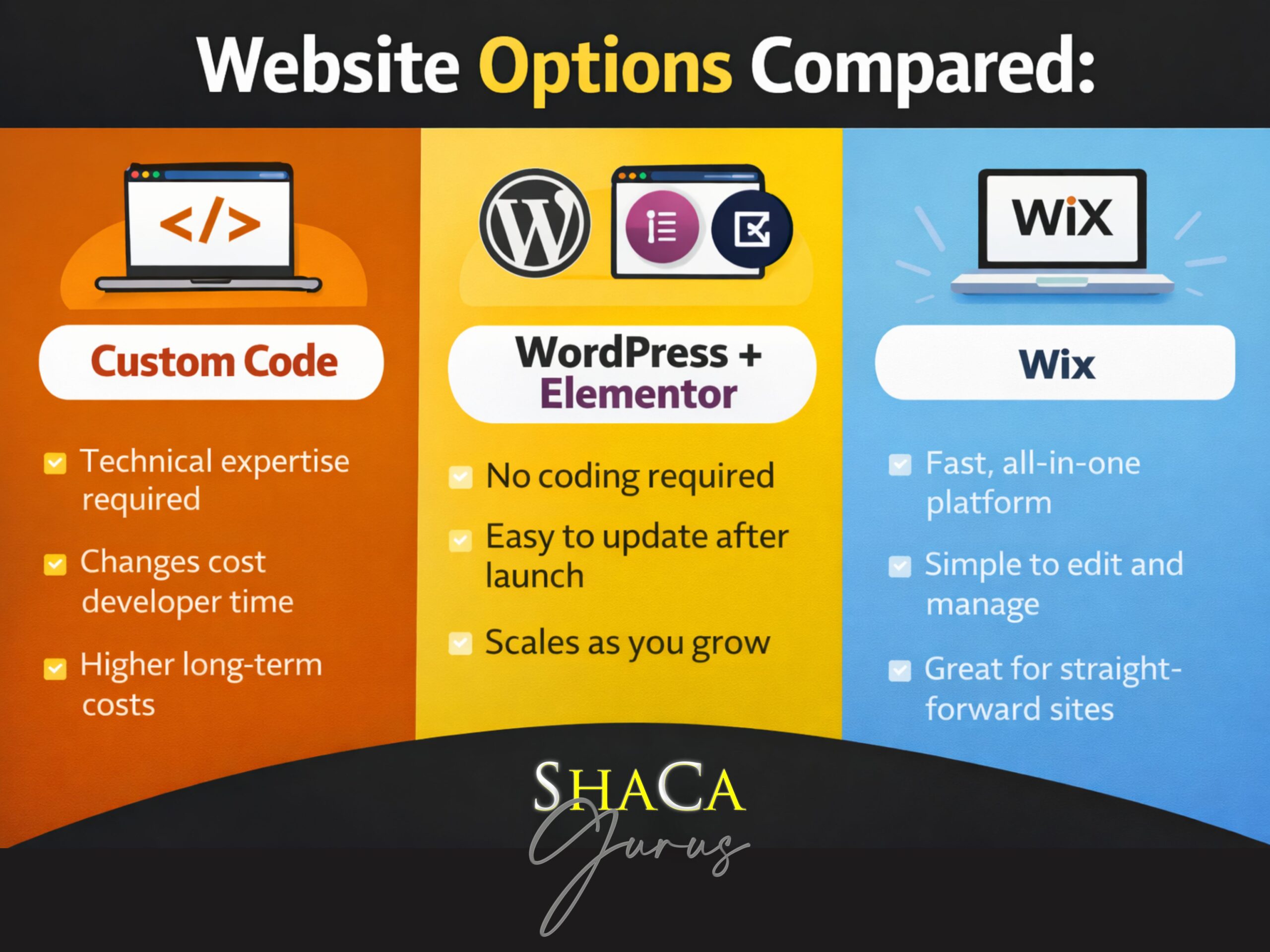
When people hear “professional small business website,” they often assume it must be entirely custom-coded. While custom-coded websites absolutely have their place, they’re not always the smartest or most sustainable choice—especially for small businesses, nonprofits, and growing organizations.
At ShaCa Gurus®, we intentionally build most websites using WordPress + Elementor or Wix website builders. That decision isn’t about shortcuts—it’s about setting our clients up for long-term success, independence, and control after launch.
Here’s why choosing the right website builder platform matters more than you might think.
Websites Should Empower You, Not Trap You
A business website shouldn’t require a developer for every small update. Changing business hours, updating pricing, posting events, or swapping an image shouldn’t feel risky or expensive.
Website builder platforms like WordPress and Wix are specifically designed so non-technical users can confidently manage their own content once a site is handed off. That means:
- You’re not locked into ongoing developer fees
- You’re not afraid to make updates
- Your site can grow as your organization grows
- You maintain control over your digital presence
That flexibility is intentional—and it’s exactly why we avoid creating developer dependency with fully custom-coded solutions for most clients.
WordPress + Elementor: The Flexible Alternative to Custom Code
WordPress powers over 43% of all websites for a reason: it’s stable, flexible, and widely supported. When paired with Elementor’s drag-and-drop page builder, it becomes especially accessible for clients who need easy to update websites without technical expertise.
Why We Choose WordPress + Elementor
Visual, drag-and-drop editing means no coding required for daily updates. You can modify layouts, adjust spacing, change colors, and rearrange sections—all visually.
Easy content management allows you to update text, images, pages, blog posts, and galleries without technical knowledge or fear of breaking something.
Exceptional scalability means your site grows with you. Whether you’re adding a blog, member portal, event calendar, or e-commerce functionality, WordPress handles it seamlessly.
Large plugin ecosystem provides access to thousands of trusted plugins and integrations for forms, SEO, analytics, email marketing, and specialized business needs.
Budget-friendly long-term costs make WordPress ideal when you need to control expenses without sacrificing professional results or functionality.
Perfect for content-heavy and high-traffic sites where frequent updates, blog publishing, and dynamic content changes are routine. WordPress excels at handling sites that evolve constantly.
Long-term support ensures you’re never stranded. With WordPress’s massive community and extensive documentation, help is always available—even if you switch agencies.
What WordPress + Elementor Means for Your Business
After handoff, you can confidently:
- Update content safely without developer assistance
- Add new pages or blog posts on your timeline
- Manage events, announcements, or promotional content
- Make small layout edits without breaking the site
- Integrate new tools as your business needs evolve
- Handle high-traffic periods without performance concerns
- Publish frequent content updates efficiently
You’re in control of your small business website—not dependent on us or any other developer for routine updates.
Our maintenance plans exist for clients who prefer hands-off support, but they’re about convenience—not necessity.
Wix: Purpose-Built for Specific Business Models
For some clients, Wix is the better choice—and we’re upfront about that. While WordPress offers more flexibility and better long-term costs, Wix excels in specific scenarios where its integrated tools provide better out-of-the-box solutions.
When We Recommend Wix
E-commerce and online stores benefit from Wix’s built-in store functionality. Product management, inventory tracking, and checkout processes are integrated without requiring separate plugins or configurations.
Online programs and course delivery work seamlessly with Wix’s member area features. If you’re selling courses, memberships, or gated content, Wix provides the infrastructure without complex setup.
Email marketing-focused businesses appreciate Wix’s native email marketing integration. If email campaigns are central to your strategy, having everything in one platform simplifies workflows.
Community and member portals leverage Wix’s member management features. Creating login areas, member-only content, and community spaces is straightforward with Wix’s built-in tools.
Understanding Wix’s Cost Structure
Wix is not the budget option. While its all-in-one approach seems convenient, the ongoing costs are significantly higher than WordPress:
- Higher monthly subscription fees for business and e-commerce features
- Additional costs for expanded storage and bandwidth
- Premium apps and extensions increase monthly expenses
- Less flexibility to shop for competitive hosting rates
- Costs increase as your traffic and storage needs grow
We recommend Wix strategically—only when its specific integrated features for stores, courses, email marketing, or member portals justify the premium pricing for your particular business model.
What Wix Means for Your Business
For the right use cases, Wix offers:
- Fully managed hosting and infrastructure (no server management)
- Built-in tools designed for specific business models
- Intuitive editor for straightforward content updates
- Integrated features without plugin management
- Everything in one platform for specialized business needs
However, Wix comes at a premium cost, which is why we recommend it selectively—not as a default solution.
How We Choose: WordPress vs Wix for Your Business
We don’t push one platform over another based on what’s easier for us. Instead, we evaluate your specific business model, budget, and technical needs.
Choose Wix When You’re Running:
Online stores with physical or digital products – Wix’s e-commerce tools are ready out of the box with integrated inventory, payments, and shipping
Online programs, courses, or membership offerings – Built-in member areas and content gating eliminate complex plugin setups
Email marketing-driven business models – Native integration keeps campaigns, contacts, and website management centralized
Community or member portals – Member management features are built-in and straightforward without additional development
Choose WordPress When You:
Are working within a budget – WordPress offers significantly lower long-term costs with greater flexibility and control over expenses
Need maximum flexibility and customization – WordPress’s plugin ecosystem provides unlimited expansion options without platform limitations
Have high-traffic websites with frequent content changes – WordPress handles dynamic content, frequent updates, and traffic spikes efficiently
Run content-heavy sites like blogs, news, or resource libraries – WordPress’s publishing capabilities and content management are unmatched
Want to avoid platform lock-in – WordPress is open-source and can be migrated to any host without proprietary restrictions
Plan to scale significantly – WordPress handles growth without forced platform upgrades or premium tier requirements
Prioritize long-term cost control – Lower hosting costs, no monthly subscription tiers, and competitive pricing for add-ons
The Decision Framework
During our discovery process, we ask about:
- Your business model and revenue streams
- Budget constraints and long-term cost considerations
- Whether you’re running stores, courses, or member programs
- Expected traffic levels and content update frequency
- Technical comfort level for managing updates
- Plans for growth and future feature needs
- Specific integrations or tools you already use
- Importance of email marketing in your strategy
This conversation determines which platform truly serves your needs—not ours.
Why Custom-Coded Websites Often Create Dependency (Not Freedom)
Custom-coded websites can be powerful and appropriate for complex web applications—but they often come with trade-offs that aren’t obvious upfront and can significantly impact long-term costs and flexibility.
The Hidden Costs of Custom Code
Every update requires a developer. Changing a headline, updating an image, or adding a page becomes a paid development request rather than a quick self-service task.
Simple changes become bottlenecks. You’re dependent on developer availability. Urgent updates wait for the developer’s schedule, creating frustration and lost opportunities.
Knowledge concentration risk. Your website’s functionality and maintenance knowledge lives with one person or agency. If that relationship ends, you’re starting over with significant costs.
Significantly higher long-term costs. While initial development might seem comparable, the ongoing costs for updates, modifications, and routine changes quickly exceed website builder alternatives.
Limited flexibility for growth. Adding new features often requires custom development rather than activating plugins or built-in functionality.
When Custom Code Makes Sense
Custom-coded websites are excellent choices for:
- Complex web applications with unique functionality
- Enterprise-level platforms requiring specialized architecture
- Sites with highly specific technical requirements that no platform can accommodate
- Projects where budget supports ongoing developer relationships
- Proprietary systems requiring complete control over every aspect
For most small businesses and nonprofits, however, custom code creates friction instead of freedom.
Our goal isn’t to impress with complexity—it’s to deliver a site that works for you long after launch. That’s why we recommend WordPress vs custom code for most clients: it balances professional results with practical independence.
Client-Controlled Websites: Maintenance Is Optional, Not Mandatory
Because WordPress + Elementor and Wix are designed for usability and client independence, maintenance plans are not required just to keep your site functional or make routine updates.
What You Can Do Independently
Our clients regularly:
- Make their own content updates across all pages
- Publish new pages, blog posts, or announcements
- Update images, text, and contact information
- Manage basic design changes independently
- Add new sections or modify layouts
- Update products, pricing, or service offerings
- Post frequent content for high-traffic sites
When Maintenance Plans Add Value
We do offer comprehensive maintenance plans starting at $45/month for clients who prefer hands-off support—but those plans are about convenience, optimization, and peace of mind, not basic functionality.
Our maintenance services include:
- Plugin and theme updates with testing
- Security monitoring and backups
- Performance optimization for speed and reliability
- Troubleshooting when issues arise
- Priority support for questions
- Proactive monitoring for potential problems
You should never feel forced into ongoing services just to keep your website usable. That’s exactly why we choose platforms that reduce website maintenance costs and empower client independence.
Our Client-First Website Development Philosophy
We choose website builder platforms based on what serves our clients best—not what’s most impressive technically or most profitable for us.
Our Platform Selection Criteria
Client control and independence come first. We prioritize platforms that put control back in the client’s hands rather than creating dependency.
Reduced long-term dependency means clients can manage their sites or easily work with other professionals if needed.
Support for real-world updates ensures sites are built for ongoing content changes, not just launch-day perfection.
Scalability for growth allows organizations to expand functionality as they grow, without rebuilding from scratch.
Cost-effectiveness over time balances initial investment with long-term total cost of ownership—especially important for budget-conscious businesses.
Matching platform strengths to business models ensures you’re not paying for features you don’t need or missing integrated tools that would serve you well.
That’s why WordPress + Elementor and Wix remain our go-to solutions for professional business websites.
The Bottom Line: Your Website Should Be an Asset, Not a Liability
Your website should empower your business, not create ongoing dependency or technical anxiety.
By building on platforms that balance professional results with everyday usability, we help clients feel confident managing their own small business websites while still having expert support available when they want it.
That’s not a compromise or a shortcut. That’s intentional design focused on your long-term success and independence.
Ready to launch a website that empowers your team? Schedule a free consultation to discuss whether WordPress + Elementor or Wix is the right choice for your organization’s unique needs, business model, and budget.
Frequently Asked Questions About WordPress, Wix, and Custom-Coded Websites
Is WordPress better than custom code for small business websites?
For most small businesses, WordPress with Elementor offers significantly better long-term value than custom code. You get professional results with the ability to update content yourself, avoiding developer dependency and ongoing costs for routine changes. Custom code is better reserved for complex web applications requiring specialized functionality that standard platforms can’t provide.
Can I update a WordPress Elementor website myself without coding knowledge?
Yes. Elementor’s drag-and-drop interface allows non-technical users to safely update text, images, pages, layouts, and design elements without any coding knowledge. The visual editor shows you exactly what you’re changing in real-time, making it easy to manage your site confidently.
When should I choose custom code over WordPress or Wix?
Choose custom-coded websites when you’re building highly specialized web applications, require complex custom functionality that doesn’t exist in plugins, need enterprise-level platforms with unique architecture, or have budget to support ongoing developer relationships. For standard business websites, blogs, portfolios, and e-commerce, website builders are almost always the smarter choice.
What’s the main difference between WordPress and Wix for business websites?
WordPress offers more flexibility, scalability, significantly lower long-term costs, and better performance for high-traffic or content-heavy sites. It’s ideal for businesses on a budget or planning growth. Wix provides integrated tools specifically for online stores, courses, member portals, and email marketing-focused businesses—but comes at a premium price. We recommend WordPress for budget-conscious clients and content-driven sites, and Wix only when its specialized features match your business model.
Is Wix cheaper than WordPress for small businesses?
No. Wix typically costs significantly more than WordPress long-term. Wix requires ongoing monthly subscriptions that increase with features and traffic, plus additional costs for premium apps and expanded storage. WordPress is the budget-friendly option, offering lower hosting costs, no subscription tiers, and more control over expenses. We only recommend Wix when its integrated features for stores, courses, or member portals justify the premium pricing.
Why do you recommend Wix for online stores if WordPress has WooCommerce?
While WooCommerce is powerful and cost-effective, Wix’s e-commerce features are designed to work together seamlessly without configuration complexity. For straightforward online stores selling physical products or digital goods, Wix eliminates the plugin management and technical overhead that comes with WooCommerce. However, this convenience comes at a higher price point, so we evaluate whether the integrated experience justifies the additional cost for your specific situation and budget.
When is Wix worth the extra cost compared to WordPress?
Wix justifies its higher cost when you’re running online stores, courses, membership programs, or email marketing-focused businesses where its built-in features save significant setup time and technical complexity. If you value having everything managed in one place and the integrated tools match your business model precisely, the convenience premium may be worthwhile. However, if budget is a concern or you have a high-traffic, content-heavy site, WordPress almost always provides better value.
How much does it cost to maintain a WordPress website compared to custom code?
WordPress website maintenance is significantly more affordable because you can handle routine updates yourself. Our maintenance plans start at just $45/month and are optional, not required. Custom-coded websites typically require ongoing developer fees for every change, often costing hundreds of dollars monthly just for basic updates and maintenance.
Will I get locked into your agency if you build my WordPress or Wix site?
No. That’s exactly why we choose these platforms. WordPress is open-source with thousands of developers worldwide who can work with it. Wix has its own support team and ecosystem. You can manage either platform yourself or easily work with other professionals. We build for client independence, not dependency.
Can WordPress and Wix websites look as professional as custom-coded sites?
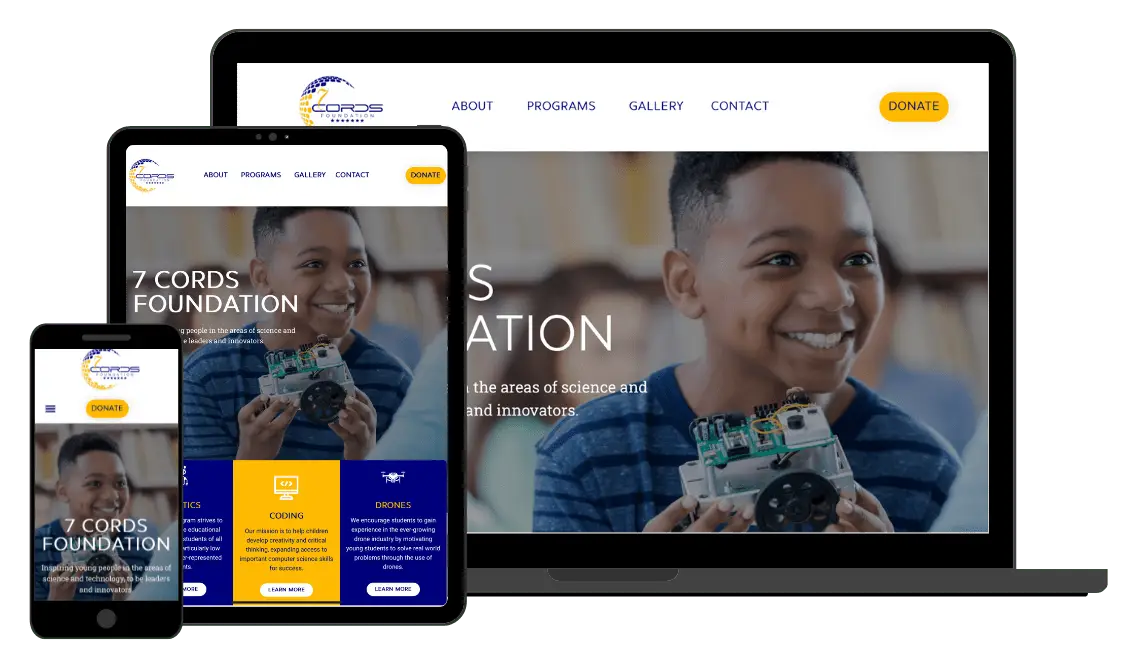
Absolutely. Modern website builder platforms like WordPress + Elementor and Wix produce completely professional results that most visitors cannot distinguish from custom code. What matters is design quality, not whether the underlying platform uses builders or custom code. Check out our portfolio to see examples of client websites.
Do WordPress websites require constant maintenance and updates?
WordPress core, themes, and plugins do release updates for security and features, but these are typically straightforward and can be managed by you or included in optional maintenance plans. Unlike custom code where updates require developer work, WordPress updates are designed for non-technical users. Many clients handle their own updates successfully, while others prefer our maintenance services for peace of mind.